All skills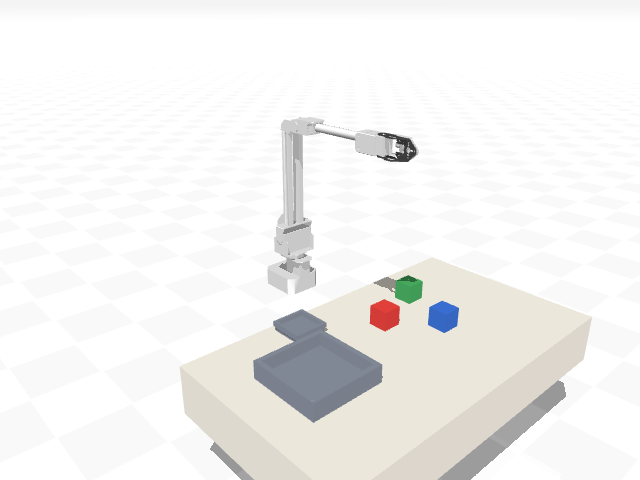
Real physics, in this tab. Nothing to install and no account. The first run downloads the robot runtime, about 14 MB.
Robot arm · Waveshare RoArm-M2
put coloured block in named tray
Pick up a named coloured block and place it in a named tray.
taught their robot this by typing a sentence. It ran successfully, so it was published. What you see is the same program running against the same physics.
put_coloured_block_in_named_tray.py
META = {"name": "put_coloured_block_in_named_tray", "description": "Pick up a named coloured block and place it in a named tray.", "params": {"arm": "arm", "block": "red_block", "tray": "tray_right", "clearance": 0.12}}

def run(ctx, **params):
    arm = params.get("arm", "arm")
    block_name = params.get("block", "red_block")
    tray_name = params.get("tray", "tray_right")
    clearance = float(params.get("clearance", 0.12))
    scene = ctx.describe_scene()
    block = scene["objects"][block_name]
    tray = scene["fixtures"][tray_name]
    bx, by, bz = block["position"]
    tx, ty, tz = tray["position"]
    block_h = block["size_m"][2]
    tray_h = tray["size_m"][2]
    pickup_above = [bx, by, bz + clearance]
    pickup = [bx, by, bz]
    release_z = tz + tray_h / 2.0 + block_h
    place_above = [tx, ty, release_z + clearance - block_h]
    place = [tx, ty, release_z]
    open_pos, closed_pos = ctx.gripper_range(arm)
    ctx.gripper(arm, open_pos)
    ctx.move_to_point(arm, pickup_above)
    ctx.move_to_point(arm, pickup)
    ctx.gripper(arm, closed_pos)
    ctx.move_to_point(arm, pickup_above)
    ctx.describe_scene()
    ctx.move_to_point(arm, place_above)
    ctx.move_to_point(arm, place)
    ctx.gripper(arm, open_pos)
    ctx.move_to_point(arm, place_above)
    ctx.describe_scene()